Every word,
who said it,
and what it meant.
Quern records meetings, interviews and lectures. It writes down every word as it's said, tells the voices apart and summarises it. Then ask across every meeting and hear the exact moment something was said. All on your iPhone, and nothing is ever uploaded.

See how it compares with cloud notetakers · Quern for Mac is coming soon
Free for 30 days · then £19.99 once · no subscription · no account
Requires iPhone 15 Pro or later.
Niamh11:34Can the map fix be in the beta by Friday? The testers keep hitting the walking routes.
Tom11:36Yes. I'll send a build to the testers that afternoon, once the crash reports are clean.
Arjun11:37Then the embargo moves to the nineteenth.
Actions, as they are agreed
- Map fix in the beta by Friday11:36Tom
- Move the press embargo to the 19th11:37Arjun
Quern on iPhone.
From a real recording of a fictional meeting: a team planning an app's launch.
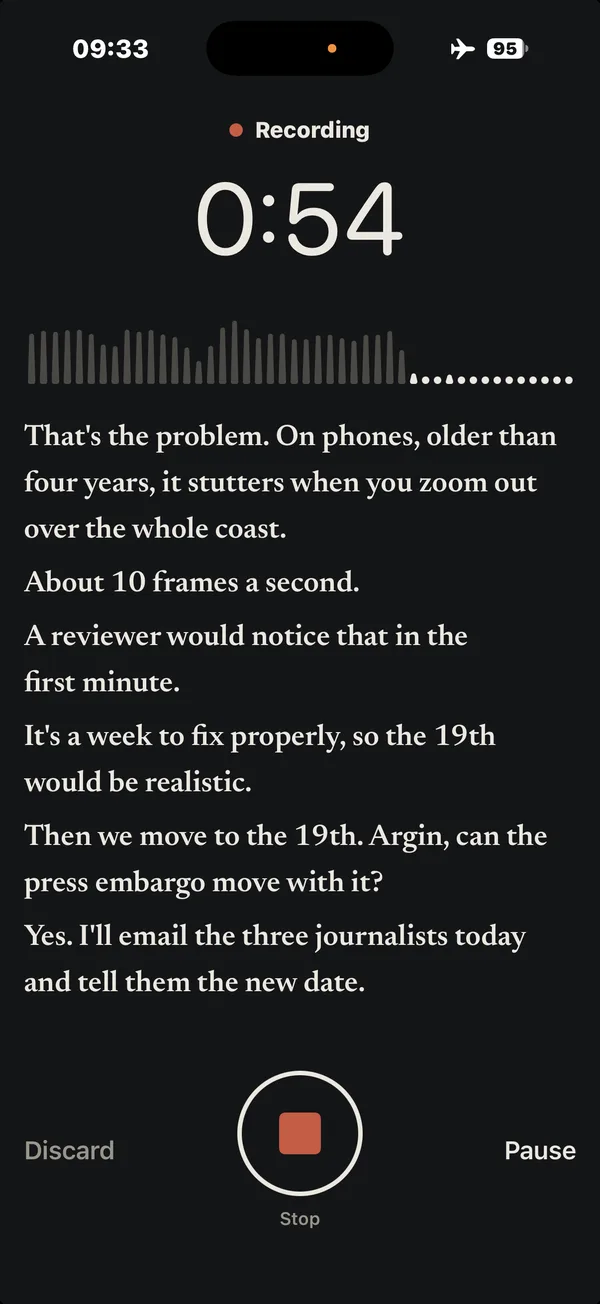
Writes it down as people speak 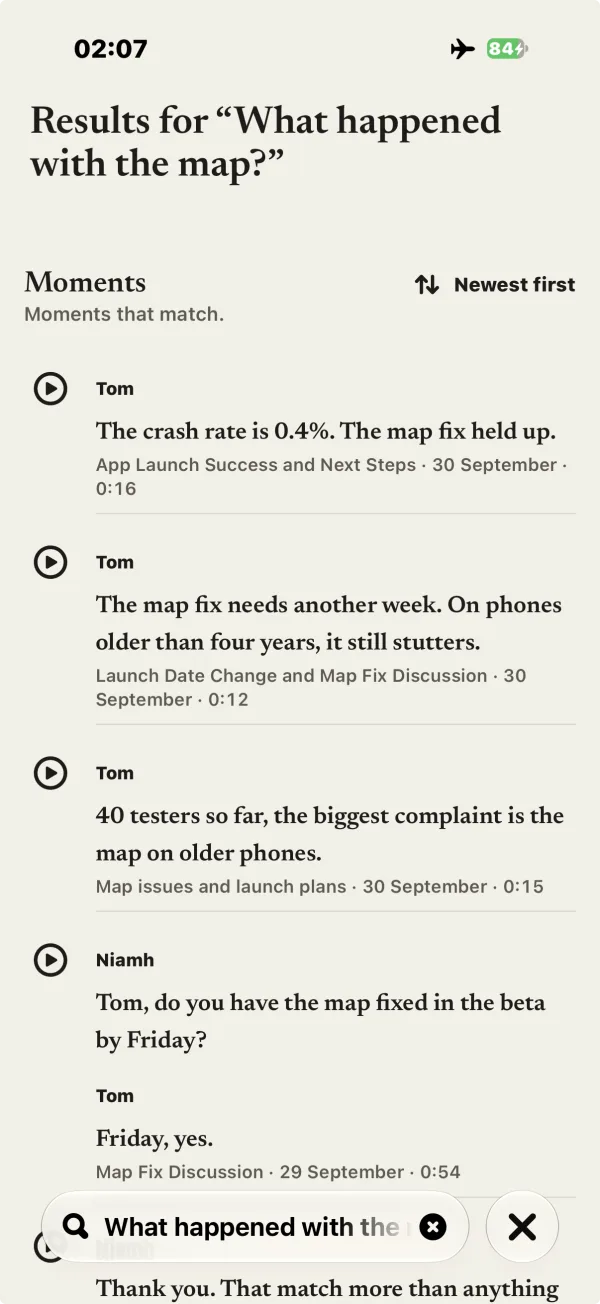
Find what was said, across every meeting 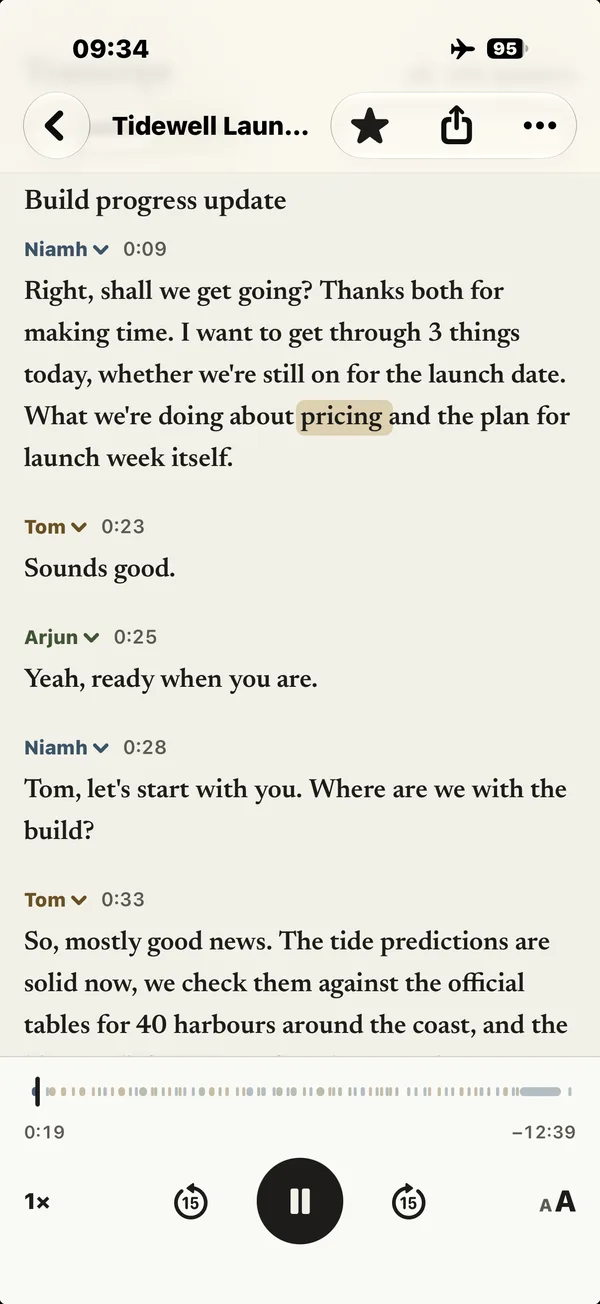
Knows who said what 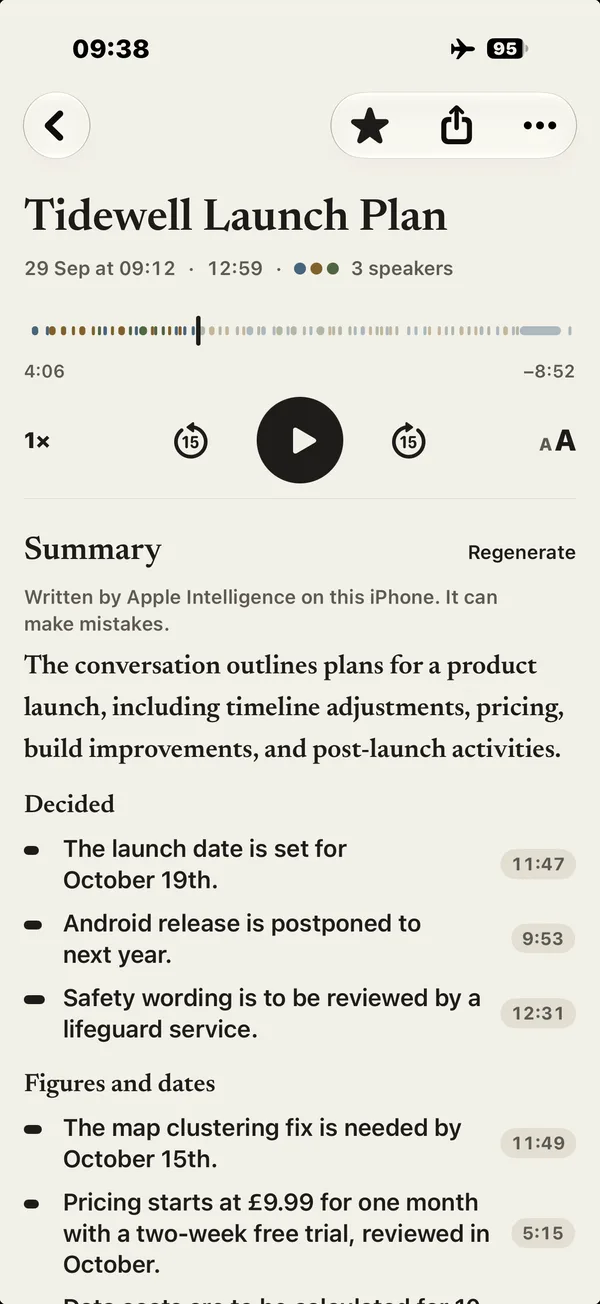
Tap a decision to hear it said 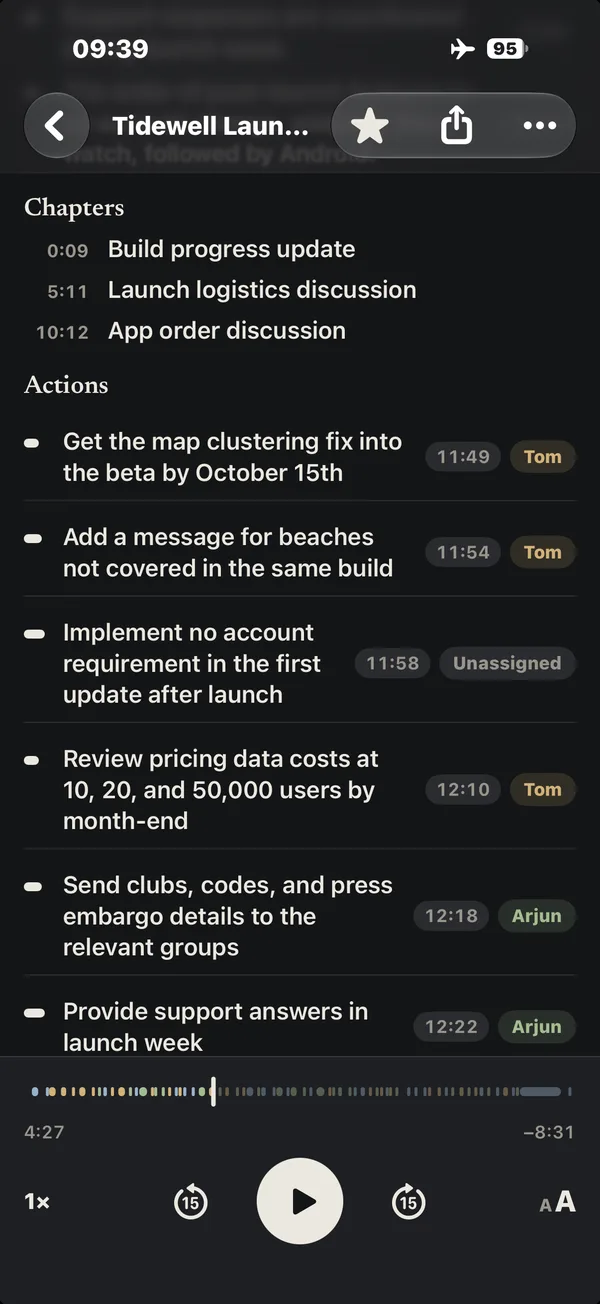
Action items, with who owns them 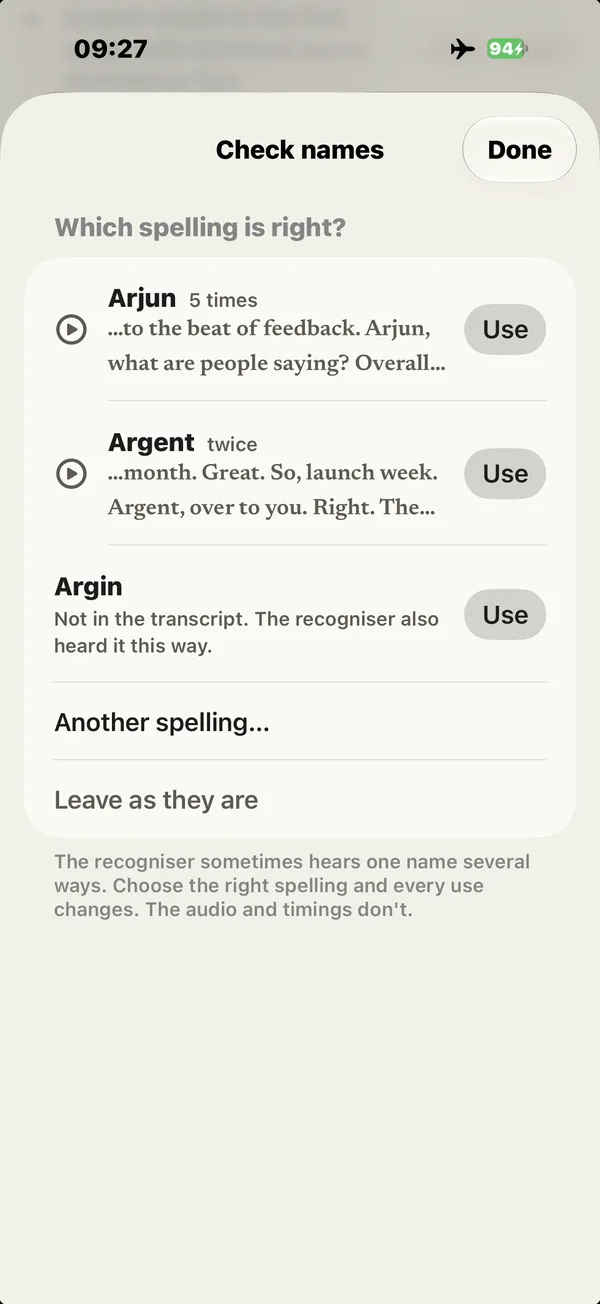
Fix a misheard name everywhere 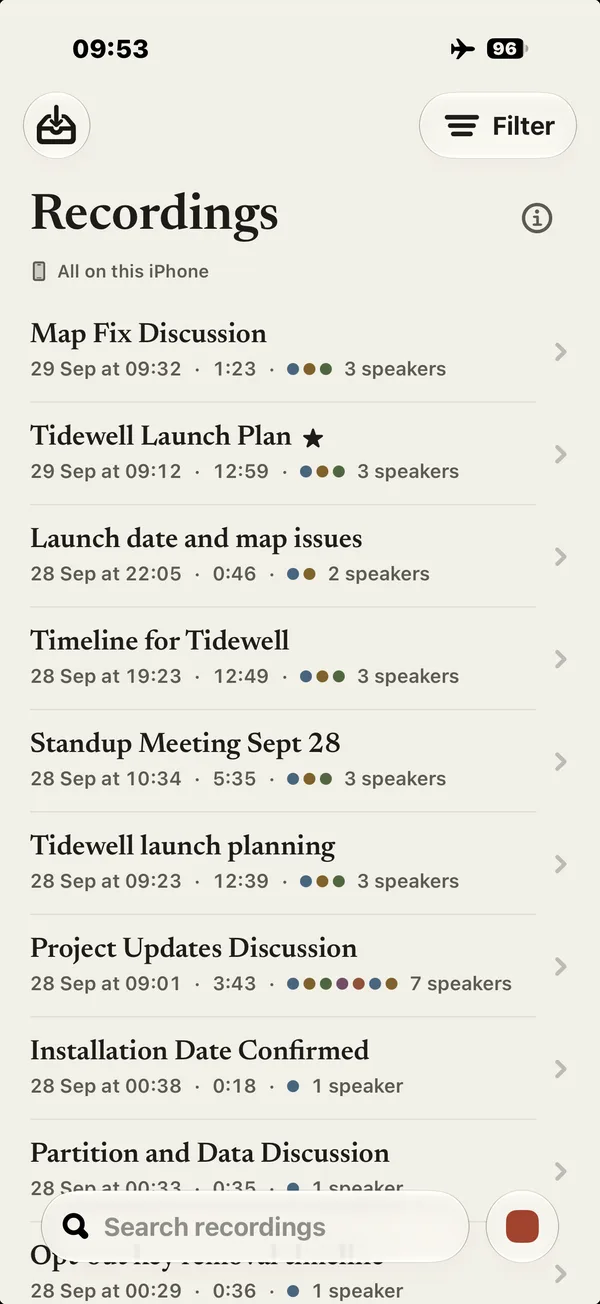
Made on your iPhone. Nothing uploaded. 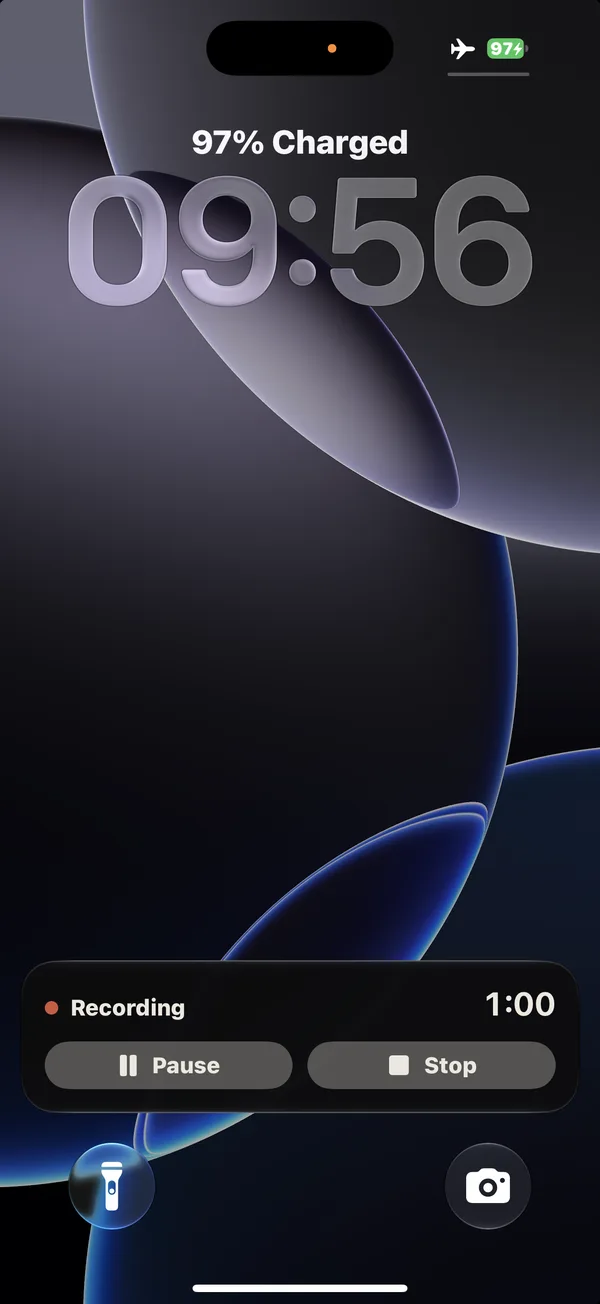
Recording shows on the Lock Screen 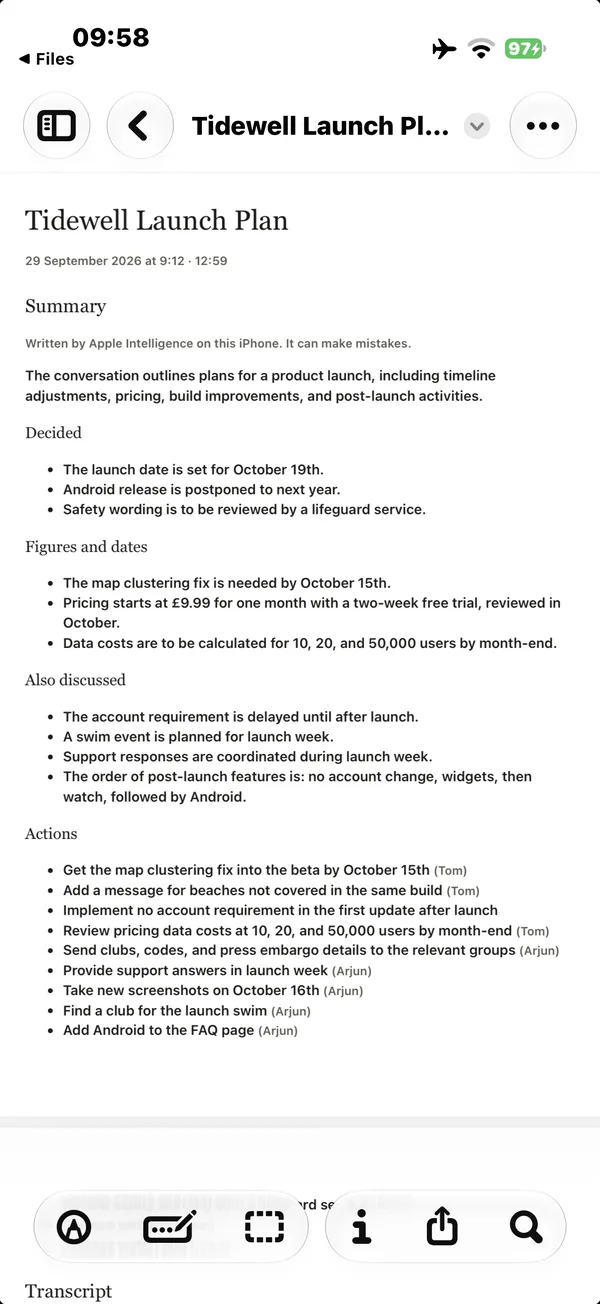
Markdown, PDF and subtitles
Afterwards, the whole meeting is there to read.
Tap any word to hear that moment. Each speaker in their own colour. A summary that says what was decided and who took on each action, with the time it was said, and chapters when it runs long.
Every word, and who said it
Watch the words appear as people speak. Quern tells the voices apart: hear a few seconds of anyone, name them, merge two that are really one person, or move a passage to the right speaker. Ask it to recognise people you record often and it suggests them next time, for you to confirm. Read it verbatim, or switch to Clean to hide the ums.
Summaries you can check
An overview, the key points grouped into what was decided, what's still open and the figures, and the actions with who took them on. Tap a time to hear the original audio. Name a speaker and the summary uses the name at once.
Chapters for the long ones
Long recordings get titled chapters, so you can jump straight to the part you need.
Ask across every meeting.
Type a question and Quern finds where it came up, in every recording on your iPhone: the exact words, who said them and when. Nothing is written for you, so nothing is made up.
The moment, not a guess
Each answer is a quote from the transcript, with the meeting and the time. Play just that moment, or open the recording there. If no recording mentions what you asked about, Quern says so.
Everyone's actions, in one place
People lists everyone named in your recordings, with the actions they took on and the decisions they spoke in, from every meeting.
Nothing is uploaded.
Transcription, speaker labels and summaries all happen on the device, with Apple's on-device speech recognition and Apple Intelligence. There's no account and no server, so there's nowhere to upload your recordings to.
- No account
- No server
- Works in Airplane Mode
- First 30 days
- Free, everything works
- Then
- £19.99, once
- Subscription
- None
- Family Sharing
- Included
- If you don't unlock it
- Your recordings stay yours to play, read and export
When it mishears a name, fix it once.
Speech recognition gets names wrong. Quern finds them, fixes every one in a tap, remembers your spelling, and lets you undo any of it.
Fix every use, then carry on
Hear each version, choose the right spelling and change every use in a tap. Quern remembers it for later recordings, keeps a history of every correction and lets you undo any change.
For the room you're in.
Quern records through your iPhone's microphone: meetings, interviews and lectures where you are, not calls it joins.
Meetings
Stand-ups, one-to-ones and planning in the room: who said what, what was decided, and who took on each action. Quern for in-person meetings
Interviews
Research, recruitment and reporting. Every word with its time, and exports as Markdown, subtitles or PDF. Quern for interviews
Lectures and talks
Long recordings get titled chapters, so you can find the part you need. It works in Airplane Mode. Quern for lectures
Confidential work
For therapists, lawyers, HR and journalists: nothing goes to a transcription company. What it's for, and what's still yours to do
Quern for Mac · Coming soon
Quern for Mac is coming soon.
Records your Zoom, Teams and Meet calls on your Mac. No bot joins. Nothing is uploaded.
Tell me when Quern for Mac is out.
The plan: free for 30 days, then £19.99 once, with one purchase covering iPhone and Mac. Requires a Mac with Apple silicon and macOS 26.4 or later. More about Quern for Mac
Kept safe, and yours to take elsewhere.
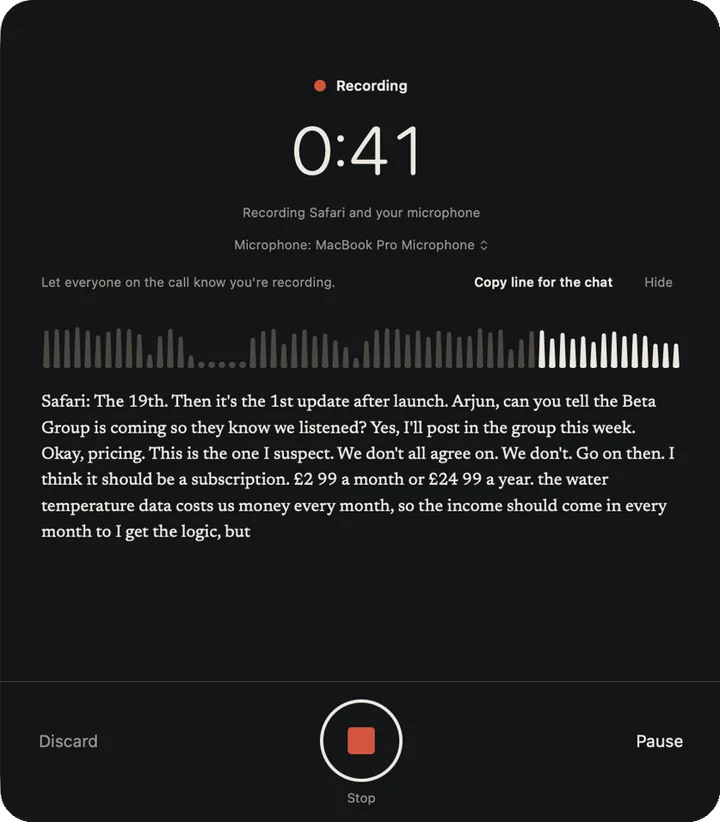
A recording that's interrupted isn't lost, and nothing is locked inside the app.
Built not to lose a recording
Audio is saved as it records. A phone call pauses the recording instead of ending it. Start from the Lock Screen, Control Centre, the Action Button or Siri.
Yours to take elsewhere
Export Markdown with the audio for Obsidian or your notes, subtitles with speaker names, or a PDF.
- MDBeta planning.md
- M4ABeta planning.m4a
- SRTSubtitles, with names
- PDFBeta planning.pdf
Bring audio or video in from
- Voice Memos
- Files
Questions
Anything else: support, or [email protected]
Which iPhones does it work on?
iPhone 15 Pro or later. Quern does all its transcription and summarising on your iPhone, which needs Apple Intelligence, so it won't install on earlier models.
Which languages does it transcribe?
Your iPhone's language, or another you choose in Quern, wherever Apple's on-device speech recognition supports it; otherwise English (UK).
How does the free trial work?
Everything works free for 30 days. After that, unlocking Quern costs £19.99, once, with Family Sharing. If you don't unlock it, you can't make new recordings or import files, but everything you've recorded stays yours to play, read and export.
Does it work without an internet connection?
Yes, once it's set up. The first time, iOS downloads speech recognition for your language; the speaker models come with the app. After that it works in Airplane Mode.
Does Quern recognise people by their voice?
Only people you ask it to. When you name a speaker, Quern asks whether to recognise that voice; if you say yes, it suggests them in later recordings for you to confirm. Voiceprints stay on your iPhone, out of backups, and you can forget any of them in About Quern.
How is it different from Voice Memos?
Quern tells the speakers apart: the transcript, the summary and each action say who. It adds chapters to long recordings, lets you fix a misheard word everywhere at once, and exports Markdown, subtitles and PDF. Already have recordings in Voice Memos? Bring them into Quern.
Does it join Zoom or Teams calls?
No. Quern for iPhone records the room through your iPhone's microphone, so it hears a call you have on speaker. Quern for Mac, coming soon, records Zoom, Teams and Meet calls on your Mac, with no bot joining them. Quern for Mac
What if it gets a word wrong?
Touch and hold it in the transcript to correct it, just there or everywhere it appears. Every correction is listed, with Undo, under More › Corrections, and a name you correct is suggested the next time Quern hears it the old way.
Can I use it for confidential work?
Nothing is sent to a transcription company, so no third party holds your recordings. Your recordings are in your iPhone's backups if those are on, and telling people you're recording is still up to you. Quern for confidential work covers therapists, lawyers, HR and journalists.
Can I record other people?
Recording laws vary from place to place, and some require everyone's agreement. Let people know you're recording.