Coming soon
Quern for Mac.
Your calls, written down.
Records your Zoom, Teams and Meet calls on your Mac. No bot joins. Nothing is uploaded. Quern writes down every word, tells your voice from everyone else's, and summarises what was decided and who's doing what.
Tell me when Quern for Mac is out.
The plan: free for 30 days, then £19.99 once, with one purchase covering iPhone and Mac.
Requires a Mac with Apple silicon and macOS 26.4 or later.
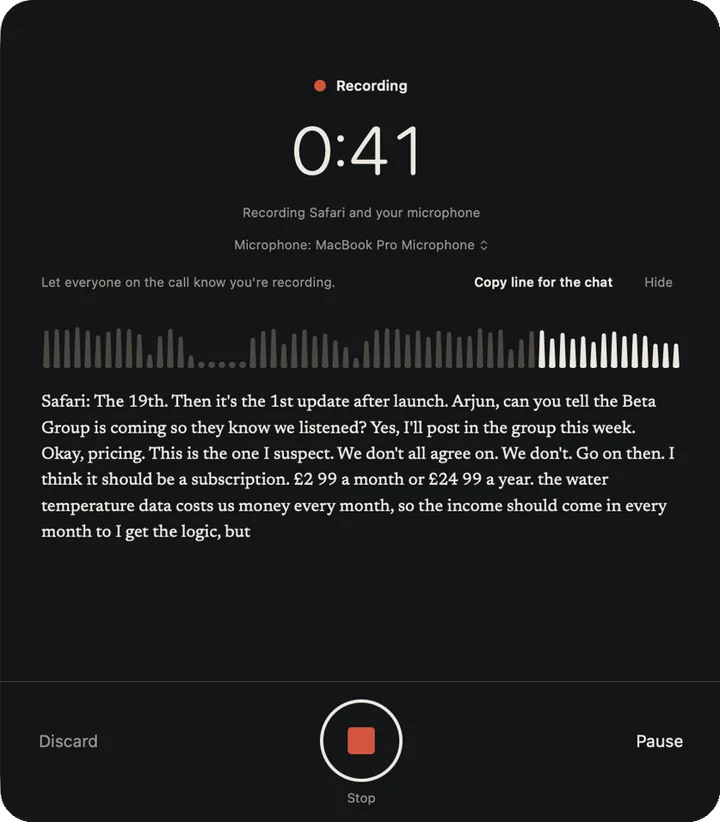
No bot joins the call.
Many notetakers send a bot into your meeting as another participant, and record from there. Quern records on your Mac instead, where the call already is.
A notetaker bot
- The bot joins the meeting, as a participant
- It records what it hears in the call
- The recording goes to the company's servers
- They transcribe and summarise it there
Quern for Mac
- You click Record when Quern asks, or choose the app yourself
- It records the call app's sound and your microphone, apart
- Apple's on-device speech recognition writes it down
- Apple Intelligence, on your Mac, summarises it
Any call, in any app
Quern records the call app's own sound with a Core Audio process tap, the part of macOS for recording one app, and your microphone as a second stream. Because it knows which voice is yours, your side reads as You and only the other voices are told apart.
A call in a browser works too: choose the browser, and Quern records what it plays. If the call app quits and comes back, the same recording carries on.
- Zoom
- Microsoft Teams
- Google Meet, in a browser
- FaceTime
- Webex
- Slack
- Discord
- All Mac audio
In the menu bar, and it asks first.
Quern sits in the menu bar and keeps running with its window closed, so it's there when a call starts. It never starts a recording by itself.
“Record this call?”
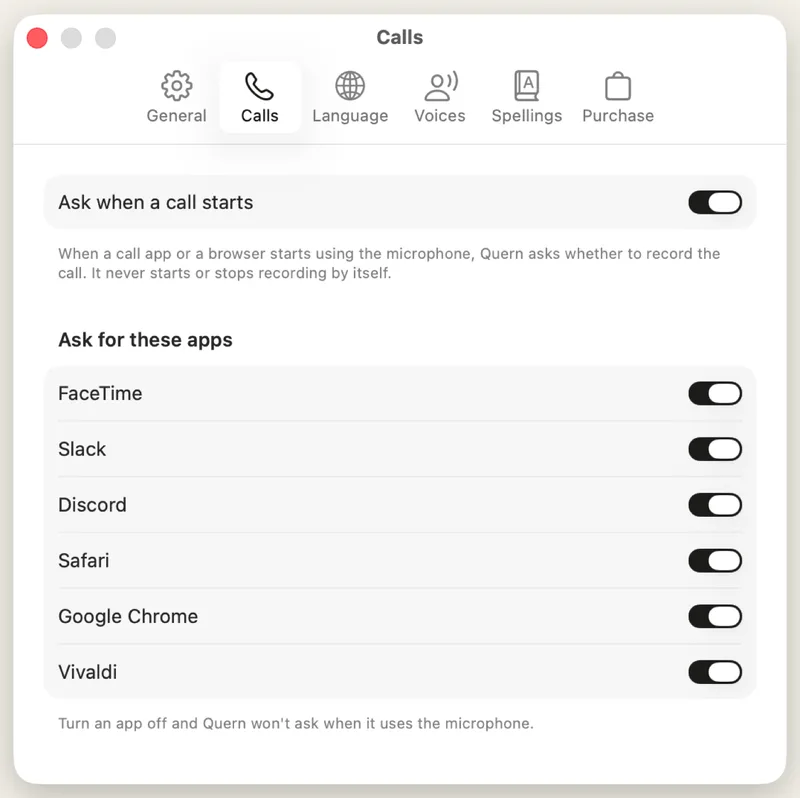
When a call app or a browser starts using your microphone, Quern asks whether to record it, with Record and Not now. When the call seems to have ended, it asks whether to stop. Nothing happens unless you click.
Turn the question off for every app, or just for one, in Settings. Quern only looks at whether those apps are using the microphone: not what they hear or show, or who is on the call.
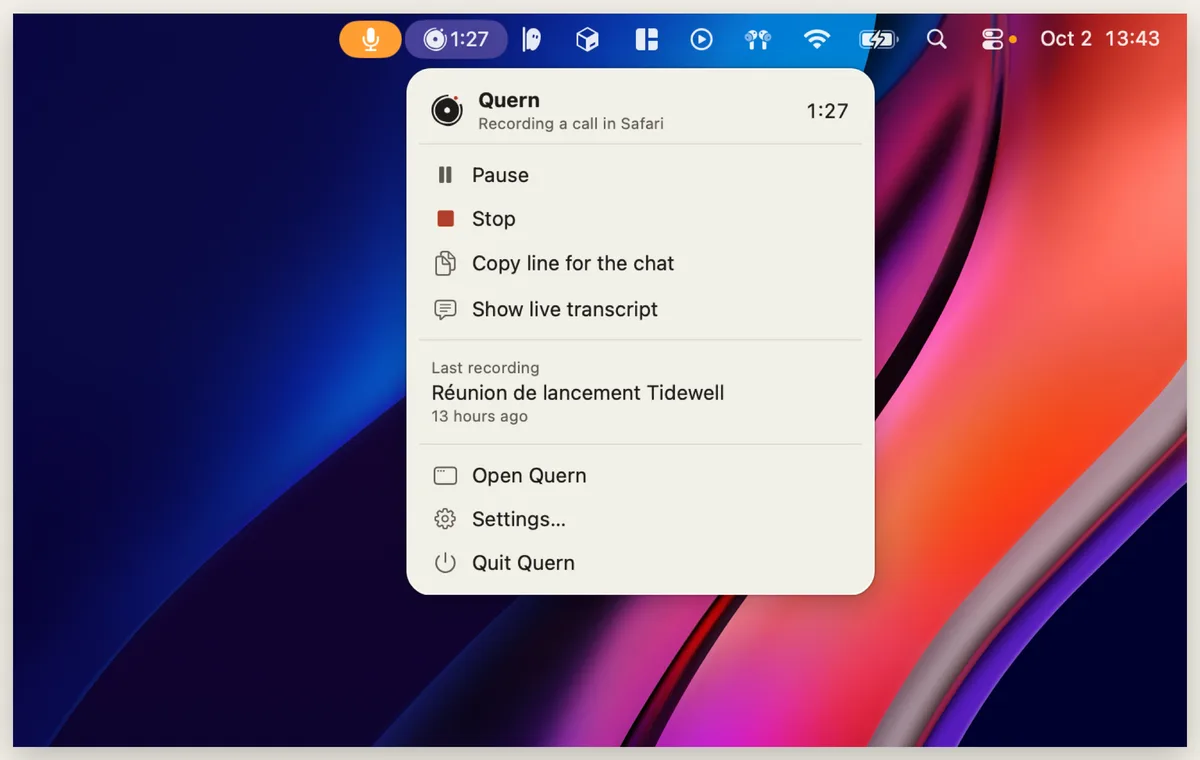
A red dot while it records
The menu bar shows a red dot and the time whenever Quern is recording, so you always know. Pause, stop, copy a line for the chat, or open a small live transcript that stays above the call.
Record a call or the room from the menu bar, Spotlight or Shortcuts.
Everything Quern does on iPhone.
The Mac app is the same Quern, made for a bigger screen, a keyboard and a call: shortcuts to record, play, search and export, Undo for your edits, and Control-click to fix a word.
Who said what
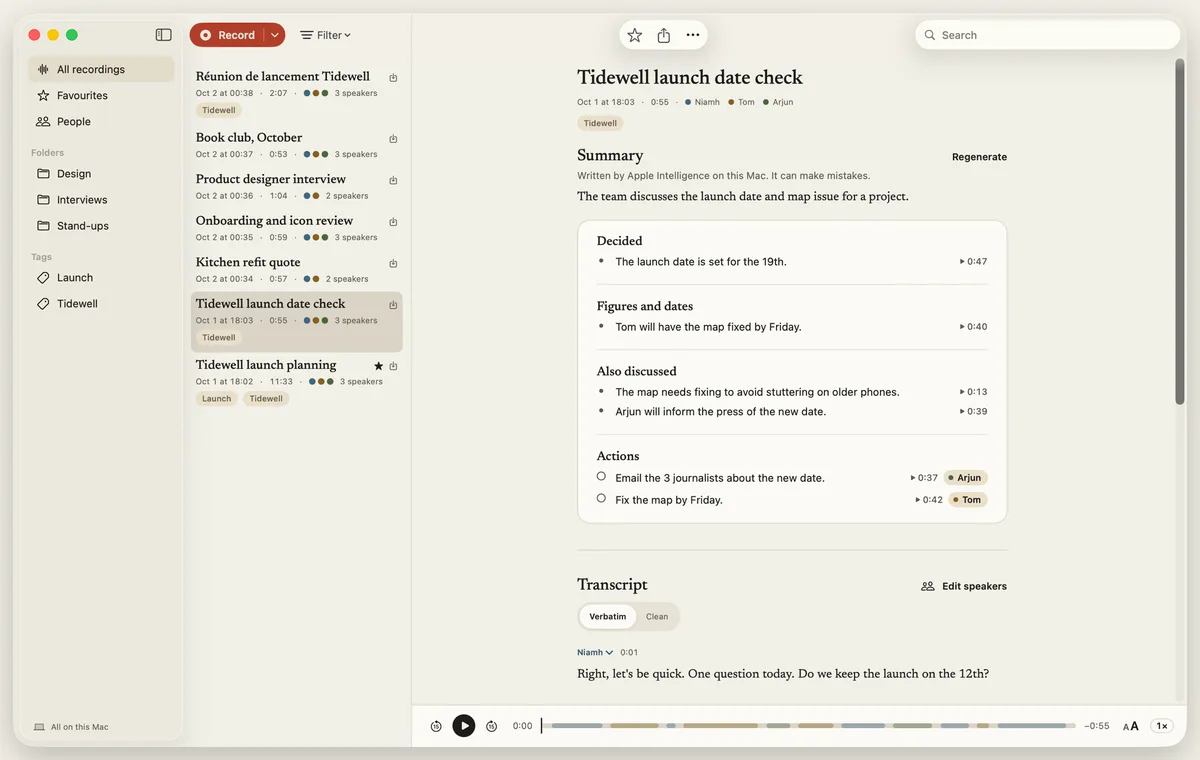
A live transcript as people speak, then each voice labelled. Rename speakers, merge two that are one person, or move a passage to the right one.
Summaries you can check
What was decided, what's still open, the figures and dates, and actions with who took them on. Click the time beside any point to hear where it was said.
Find it again
Ask a question and Moments finds where it came up, across every recording: the exact words, who said them, and when. How Moments works
Take it anywhere
Export Markdown with the audio, SRT or VTT subtitles with speaker names, or a PDF, or copy the summary or transcript in a keystroke. Drag a recording out as a PDF. To transcribe audio or video, drag it in or open it with Quern from the Finder.
Let people know you're recording.
Nothing joins the call, so nobody else can see that you're recording. Telling them is yours to do, and Quern makes it easy.
Say so first
Before anyone starts, say you're recording and why. Recording laws vary, and some places need everyone's agreement.
Put it in the chat
Every call recording has a line you can copy into the call's chat, so everyone has it in writing.
A reminder, once
The first time you record a call, Quern shows a screen about recording calls before it starts.
Follow your workplace
Many organisations have a policy on recording calls. Quern doesn't know it; check it before you rely on Quern.
Nothing is uploaded.
Transcription, speaker labels and summaries all happen on your Mac, with Apple's on-device speech recognition and Apple Intelligence. Quern for Mac isn't allowed to use the network at all, and there's no account and no server of ours, so no third party ever holds your calls.
- No bot
- No account
- No network access
Your recordings are files on your Mac, so they're in your Time Machine backups if you use it. The privacy policy covers the iPhone app today, and will cover the Mac when it's out.
What you need.
And what it costs, as planned.
A Mac with Apple silicon
And macOS 26.4 or later. Summaries need Apple Intelligence turned on. Intel Macs aren't supported.
One purchase for both
The plan: free for 30 days, then £19.99 once, with one purchase covering iPhone and Mac. No subscription.
Your language
Your Mac's language, or another you choose, wherever Apple's on-device speech recognition supports it.
Already on iPhone
Quern for iPhone is out now. Quern for iPhone
Other ways to take notes without a bot, from Otter, Granola and others, and how they differ: meeting notes without a bot.
Quern for Mac · Coming soon
Be first to hear when it's out.
Records your Zoom, Teams and Meet calls on your Mac. No bot joins. Nothing is uploaded.
Tell me when Quern for Mac is out.
The plan: free for 30 days, then £19.99 once, with one purchase covering iPhone and Mac. Requires a Mac with Apple silicon and macOS 26.4 or later.
Questions
Anything else: support, or [email protected]
When is Quern for Mac out?
It's being tested now, and there's no date yet. Leave your email on this page and you'll hear when it's out. Quern for iPhone is out now.
Does a bot join the call?
No. Quern records the call app's sound on your Mac, with the macOS feature for recording one app's audio, and your microphone. It doesn't connect to Zoom, Teams or Meet, so nothing is added to the call.
Will the other people know I’m recording?
Not from Quern: nothing joins the call, so there's nothing for them to see. That's why telling them is up to you. Quern reminds you on your first call, and every call recording has a line you can copy into the call's chat to say so.
Which apps can it record?
Any app that's making sound: choose it from the list, or record all Mac audio. Quern offers to record when Zoom, Microsoft Teams, FaceTime, Webex, Slack or Discord starts using your microphone, and when a browser does, for Google Meet or any other web call.
Does it record calls automatically?
No. When a call starts, it can ask "Record this call?", and it records only if you click Record. You can turn the question off for every app or for one, in Settings.
Does it record video or the screen?
No, only sound: the call's audio and your microphone. Quern keeps the audio with the transcript, so you can play any moment.
Can it record a meeting in the room, too?
Yes. Click Record and it records through your Mac's microphone, or another one you choose, as Quern does on the iPhone.
Do I pay again if I have Quern on iPhone?
The plan is one purchase for both: unlock Quern on your iPhone and it's unlocked on your Mac, and the other way round. Otherwise it's free for 30 days, then £19.99 once, with no subscription. This page will say for certain when it's out.
Will it run on my Mac?
It needs a Mac with Apple silicon and macOS 26.4 or later. Summaries need Apple Intelligence turned on. Intel Macs aren't supported.
Does it need the internet?
No. Quern for Mac isn't allowed to use the network at all. The first time, macOS may download speech recognition for your language; after that, everything works offline.